

Work on a specific record
Assess supports developing a project assessment and reviewing an assessment that already exists. Sign-in is required, and access to each record still applies
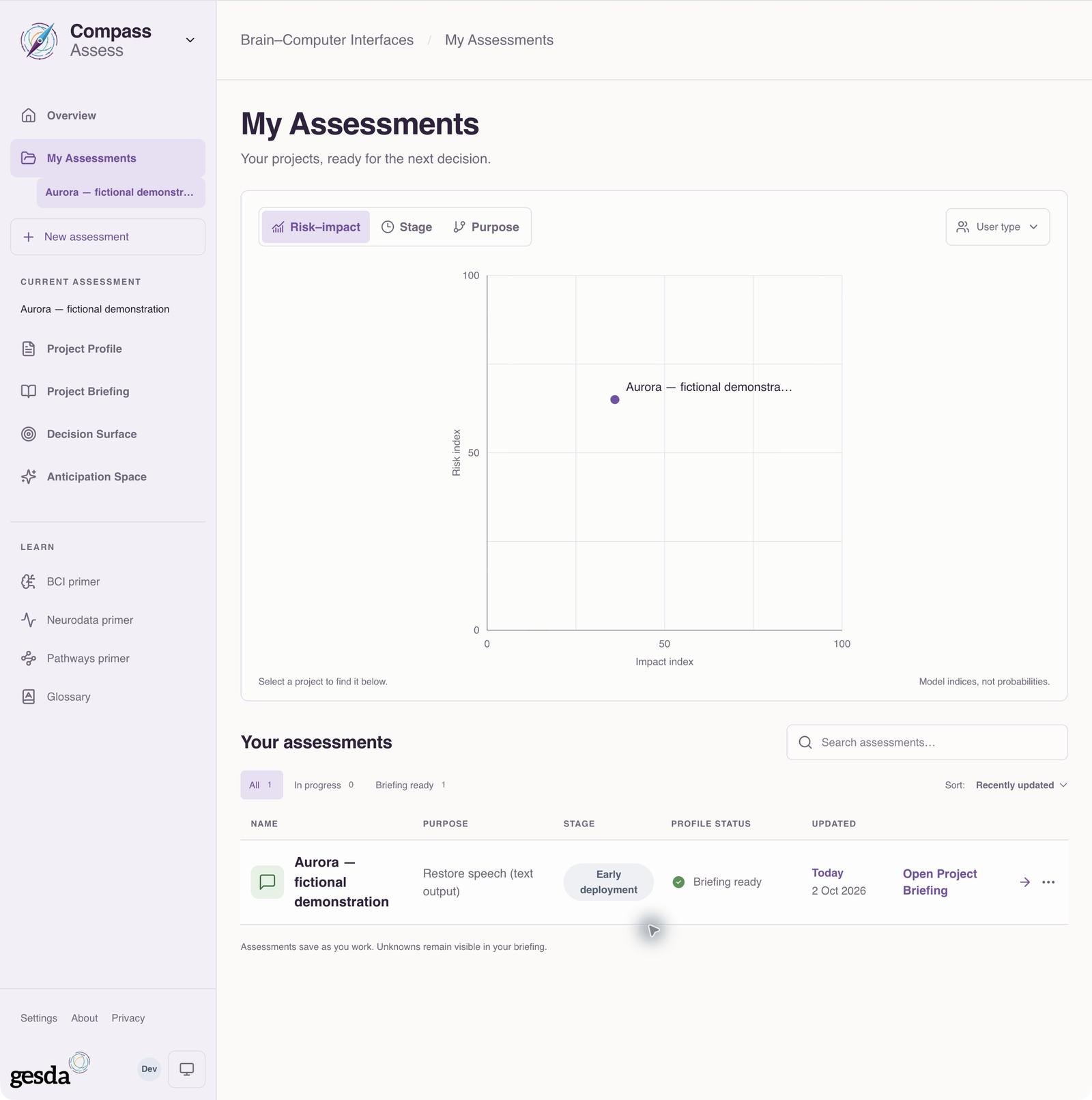
Start in My Assessments to open an accessible record or choose New assessment. You can also explicitly start from a published case; that handoff retains and checks the catalogue release reference. Reviewing does not give you access to someone else’s private assessment
Build the Project Profile
The current profile has three steps: Your project, Purpose & people and How it works. One cumulative picture keeps the project, people, purpose and system visible as the answers develop. Optional refinements cover technical evidence, impact, locations and lifecycle detail
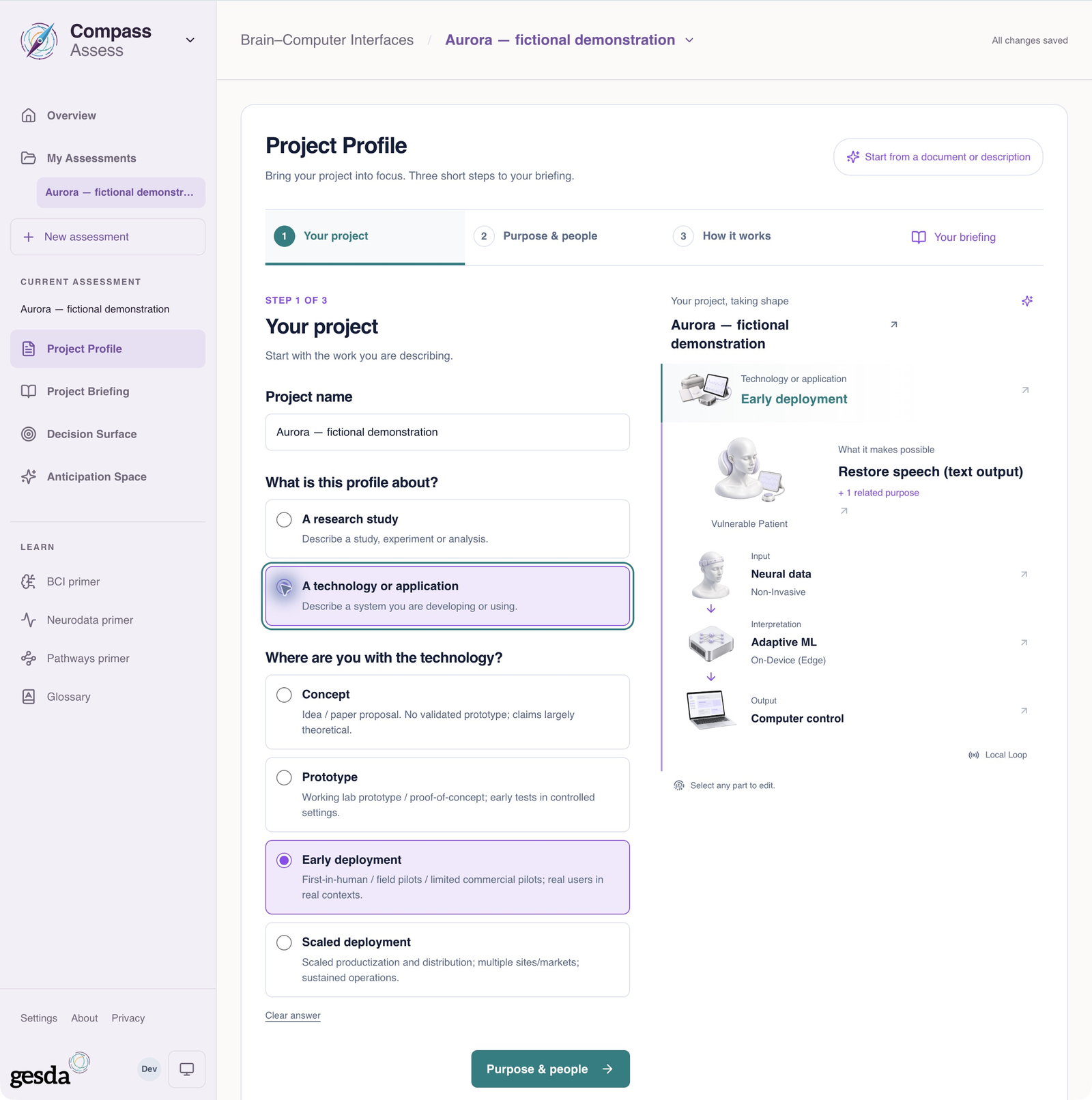
Research studies have distinct study-progress and data-source choices, including recorded and simulated data. A recorded input describes the information entered; it is not an independent verification of that evidence
Read the available outputs at the right level
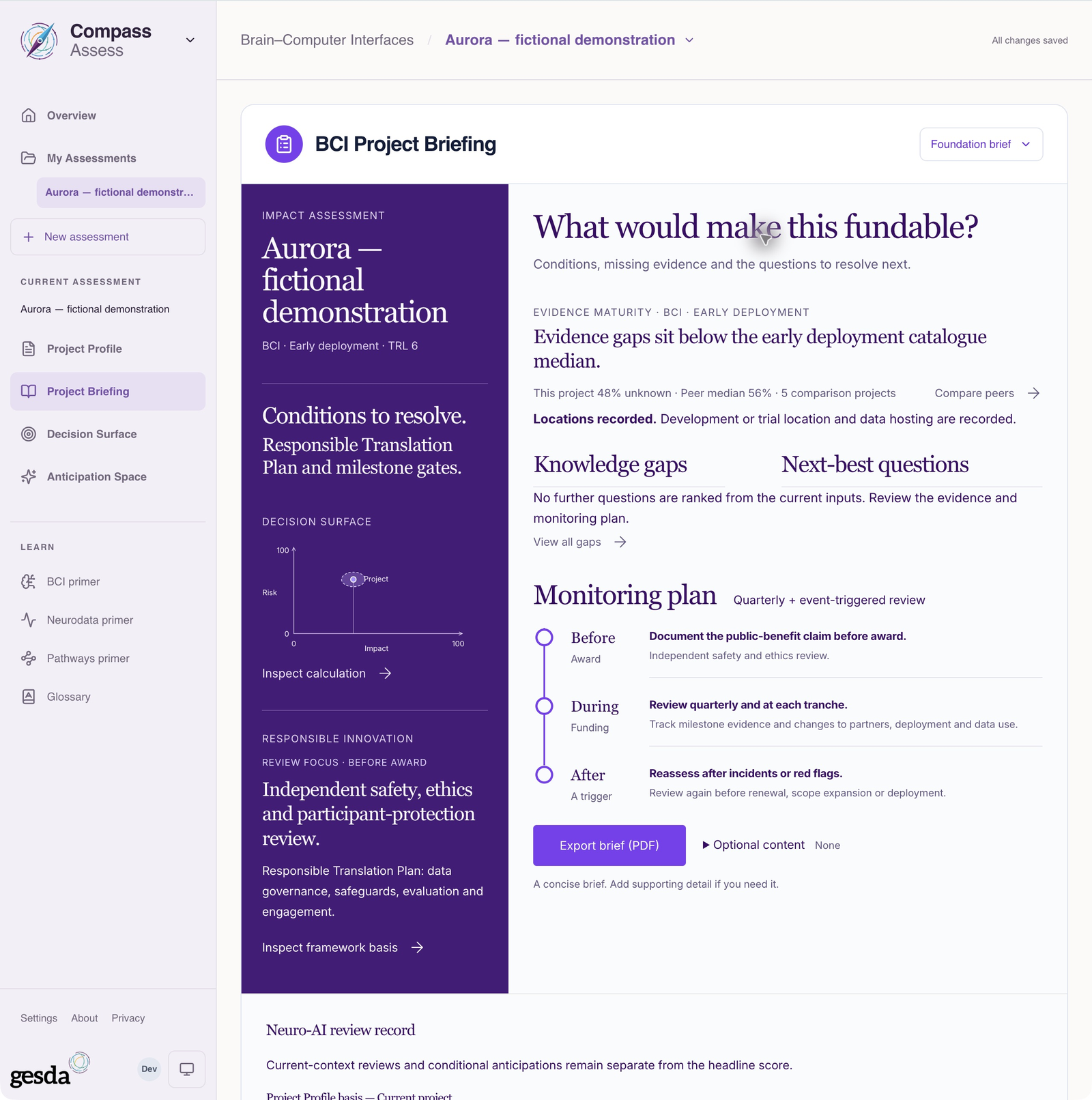
Project Briefing gives a descriptive overview once the project has a name, purpose, input and output and has been saved, or is an explicit example draft. It can be useful before the full assessment is complete
Decision Surface, numerical audience briefs and Anticipation Space retain fuller input requirements. Data-analysis and dataset studies receive the descriptive briefing; the current numerical model does not model those activities
Use pathways, evidence and assumptions to understand what is driving a result. In Anticipation Space, a hypothetical application needs its own inputs and evidence. It does not inherit validation from the original application
Prepare a useful decision record
The Passport assembles relevant assessment reasoning for review and PDF export. Check evidence, safeguards, open questions and review points before sharing it. An attractive or favourable result does not establish approval, certification or suitability
Saved assessments can change. Keep the assessment date and the basis for a decision with the exported record, and record follow-up responsibilities in the process your institution uses. Compass is not an immutable institutional decision ledger
Choose your task
- Create an assessment — develop the project record.
- Review an assessment — inspect claims and define conditions.
- Interpret evidence and uncertainty — follow a claim through the reasoning.
- Prepare a Passport — assemble and check the handoff.
About this guide edition
Reviewed 2 October 2026 against the current interface and maintained product guide. Screenshots show either the public GESDA catalogue or a local demonstration using fictional Aurora data, as identified in each caption
Local captures illustrate the interface, not sign-in, server persistence or successful export. Use Print / save PDF for a reading copy and follow the live application for current availability
Guide edition · 2 October 2026
Find a guide for your role