

Clarify the decision and obtain access
Sign in and open the assessment you are permitted to review. Bring the decision question: funding, publication, procurement, oversight or another defined responsibility. Selecting a reviewer perspective does not unlock a private record
If the assessment is not available, obtain access through the record owner or use the materials they have chosen to share. A public catalogue record can support background inquiry, but is not the same thing as the owner’s saved assessment
Review the case in six steps
Confirm the case and scope
Check the selected project, intended use, people, setting and date. Record the decision you are actually making. A project may have several possible applications; evidence about one does not establish all of them
Read Project Briefing before the scores
Check that the description matches the proposal or materials you received. Identify changes in context, omissions and terms that need clarification. Do not re-enter data already maintained by the owner unless you are deliberately creating a separate assessment
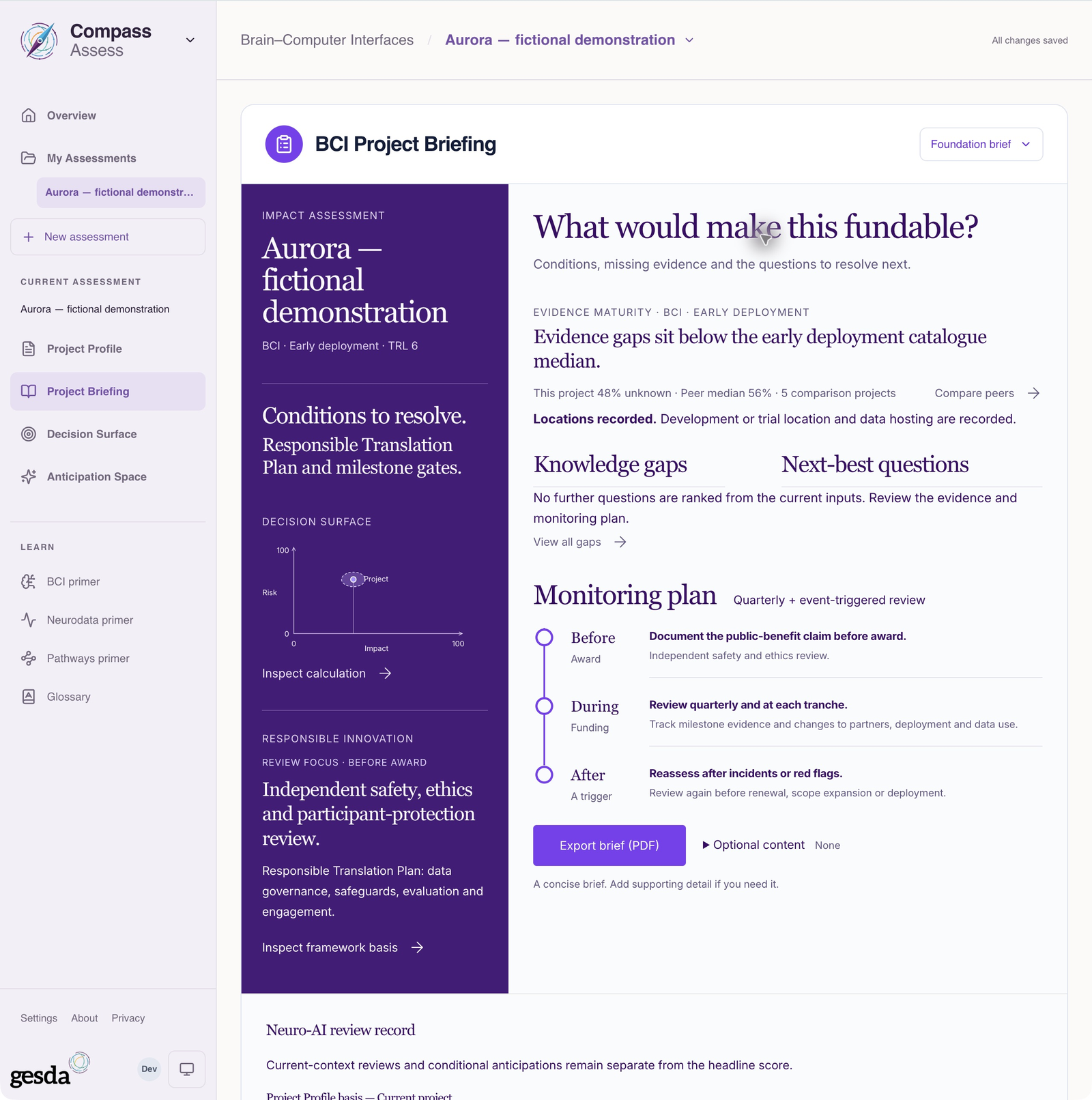
Local documentation capture, 2 October 2026. Fictional Aurora demonstration: inputs, evidence and outputs are illustrative. This is a separate example from the communication-at-home scenario in these guides. Trace the claims that could change your decision
Follow important benefit, performance and safety claims to the evidence and assumptions. Ask whether the source concerns the same system, population and setting, and whether it supports the strength of the claim. Record the specific evidence you still need
Inspect uncertainty and drivers
When the numerical model applies and its inputs are complete, read the Decision Surface alongside its drivers and uncertainties. Examine severe harm scenarios even if a summary looks favourable. A numerical result is conditional on the entered record and model
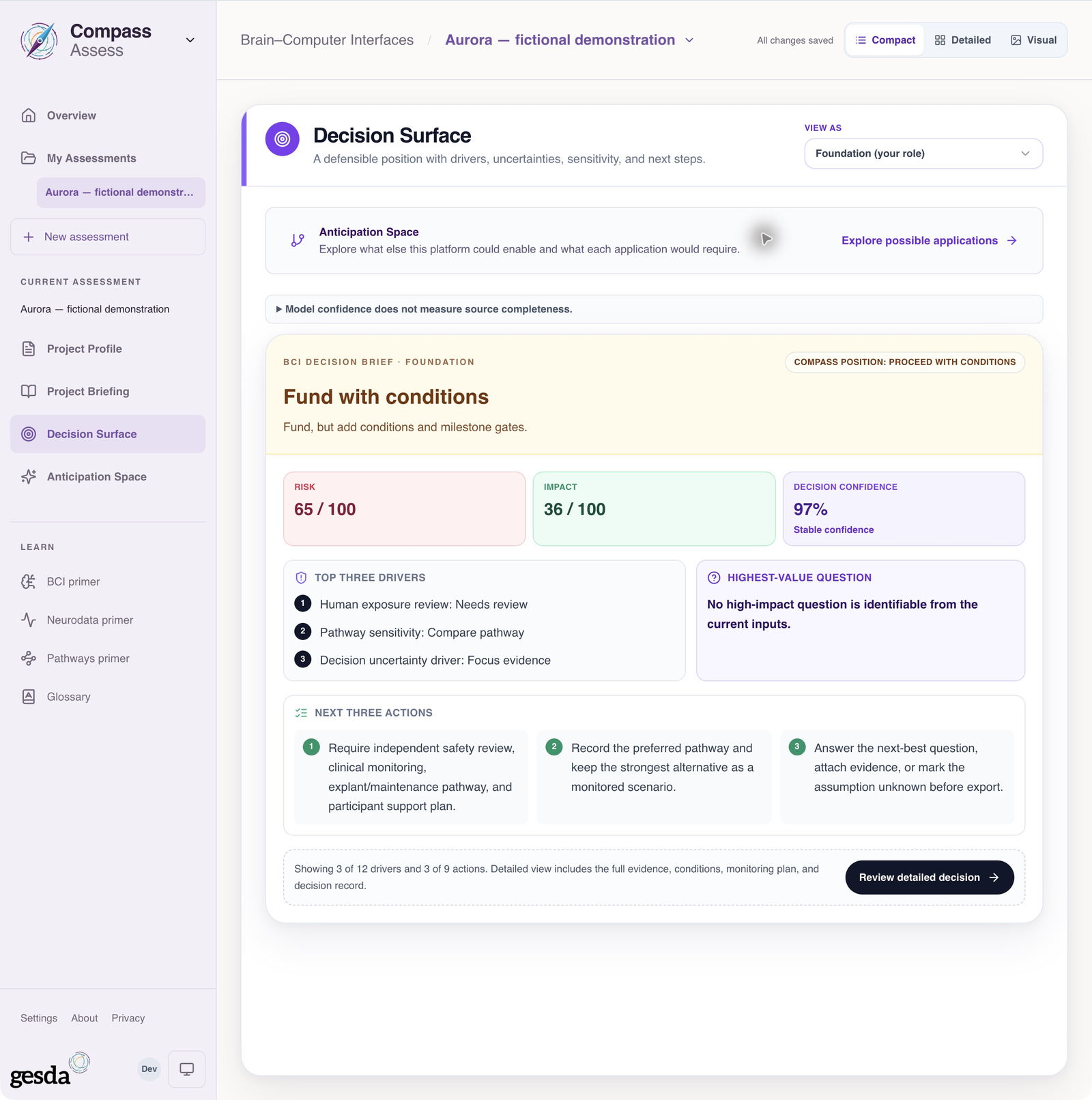
Local documentation capture, 2 October 2026. Fictional Aurora demonstration: inputs, evidence and outputs are illustrative. This is a separate example from the communication-at-home scenario in these guides. Apply your responsibility
Consider the questions relevant to your decision. A funder may need milestones and evidence gates; an editor may need transparent methods and justified claims; an assurance reviewer may need testable requirements. Guidance and audience briefs inform your review; they do not perform your institution’s decision
Define conditions and a review point
Write down evidence requests, safeguards, independent-review needs and conditions for reconsideration. Name who will follow up and when in your own decision process. Prepare the relevant brief or Passport after checking the record and output
Leave an explicit basis for the decision
Your review should distinguish supported findings, open questions and conditions. Keep the assessment date and relevant sources with your decision record. The saved assessment can change; Compass does not create an immutable record of your institution’s judgment
For context across several records, continue to Compare accessible assessments. To share the reasoning, follow Prepare a Passport
About this guide edition
Reviewed 2 October 2026 against the current interface and maintained product guide. Screenshots show either the public GESDA catalogue or a local demonstration using fictional Aurora data, as identified in each caption
Local captures illustrate the interface, not sign-in, server persistence or successful export. Use Print / save PDF for a reading copy and follow the live application for current availability
Guide edition · 2 October 2026
Find a guide for your role