

Choose records that answer the same question
You need sign-in and access to the assessments. My Assessments supports comparison views; Monitor Portfolio summarizes selected accessible assessments or authorized organizational aggregates. Public cases do not automatically become your private portfolio
Begin with a decision question and a defensible inclusion rule, such as proposals addressing the same need within one review round. Comparisons between different purposes, stages and populations may still be useful, but those differences must remain visible
Compare in five steps
Define and select the population
In Portfolio, choose Choose assessments and select the accessible records relevant to the question. The selection updates the view immediately; choose Done to close the selector. Check the Assessments in view count before interpreting a pattern. If the portfolio is empty, select appropriate accessible assessments or return to My Assessments; do not interpret an empty view as evidence that no relevant projects exist
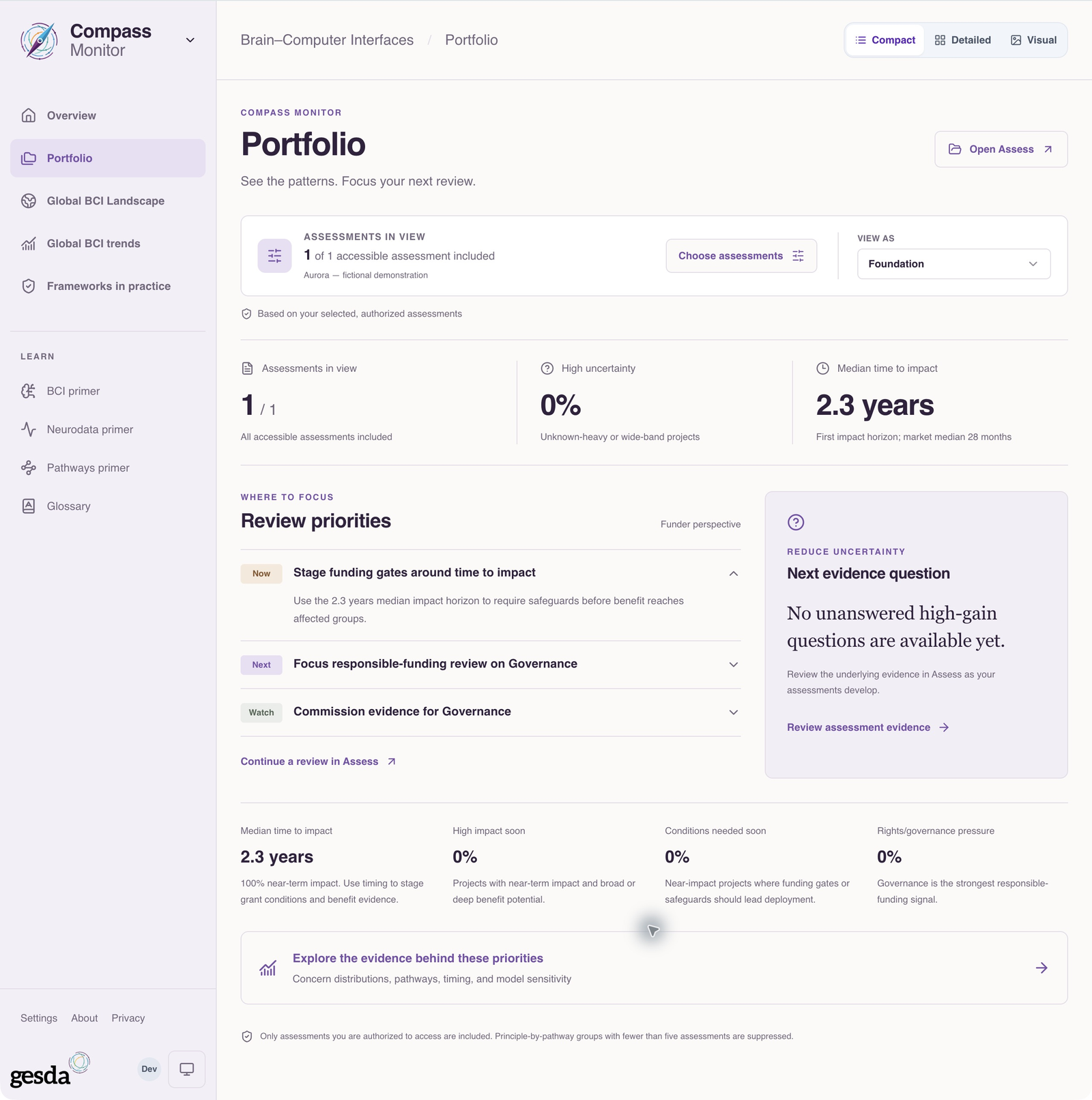
Local documentation capture, 2 October 2026. The single fictional Aurora record illustrates selection and scope; it does not demonstrate a multi-project comparison. Check comparability
Review purpose, people, setting, maturity, assessment dates and evidence completeness. Note where a difference in the result could follow from a difference in context or missing input. A larger collection does not automatically make the comparison representative
Inspect patterns and outliers
Use portfolio summaries or the comparison views in My Assessments to find repeated evidence gaps, concentrations and unusual cases. Keep small cohorts and severe outliers visible. An average can conceal the issue most relevant to a decision
Return to the individual assessment
Open the records behind a pattern. Read the Project Briefing, inspect evidence and review the model’s drivers where applicable. Do not infer a shared cause from similar summary values alone
Prioritize follow-up
List the cases and questions that need attention, the evidence to request and the responsibility for follow-up. Keep any funding, diligence or continuation action in your institution’s decision process. A comparison does not execute those actions
Keep the comparison understandable
Carry forward the selection rule, assessment dates, important differences and unresolved gaps with your review agenda. If the records change, revisit whether the comparison still holds
Continue with Review an existing assessment for a flagged case, or Read the published BCI landscape for public field context. These populations should not be silently combined
About this guide edition
Reviewed 2 October 2026 against the current interface and maintained product guide. Screenshots show either the public GESDA catalogue or a local demonstration using fictional Aurora data, as identified in each caption
Local captures illustrate the interface, not sign-in, server persistence or successful export. Use Print / save PDF for a reading copy and follow the live application for current availability
Guide edition · 2 October 2026
Find a guide for your role