
Choose a field question
This task is public and does not require private assessment access. Start with a question such as which communication applications are represented, what beneficiaries appear in the catalogue or where recorded development and deployment take place
Outcome: a bounded account of the published catalogue, with filters and missing information stated alongside the finding
Read the landscape in six steps
Check the population and counting unit
Open Global BCI Landscape in Monitor. Read what is included and which unit is being counted. This view uses a present-impact scope; it is not every published project and is not a census of BCI activity
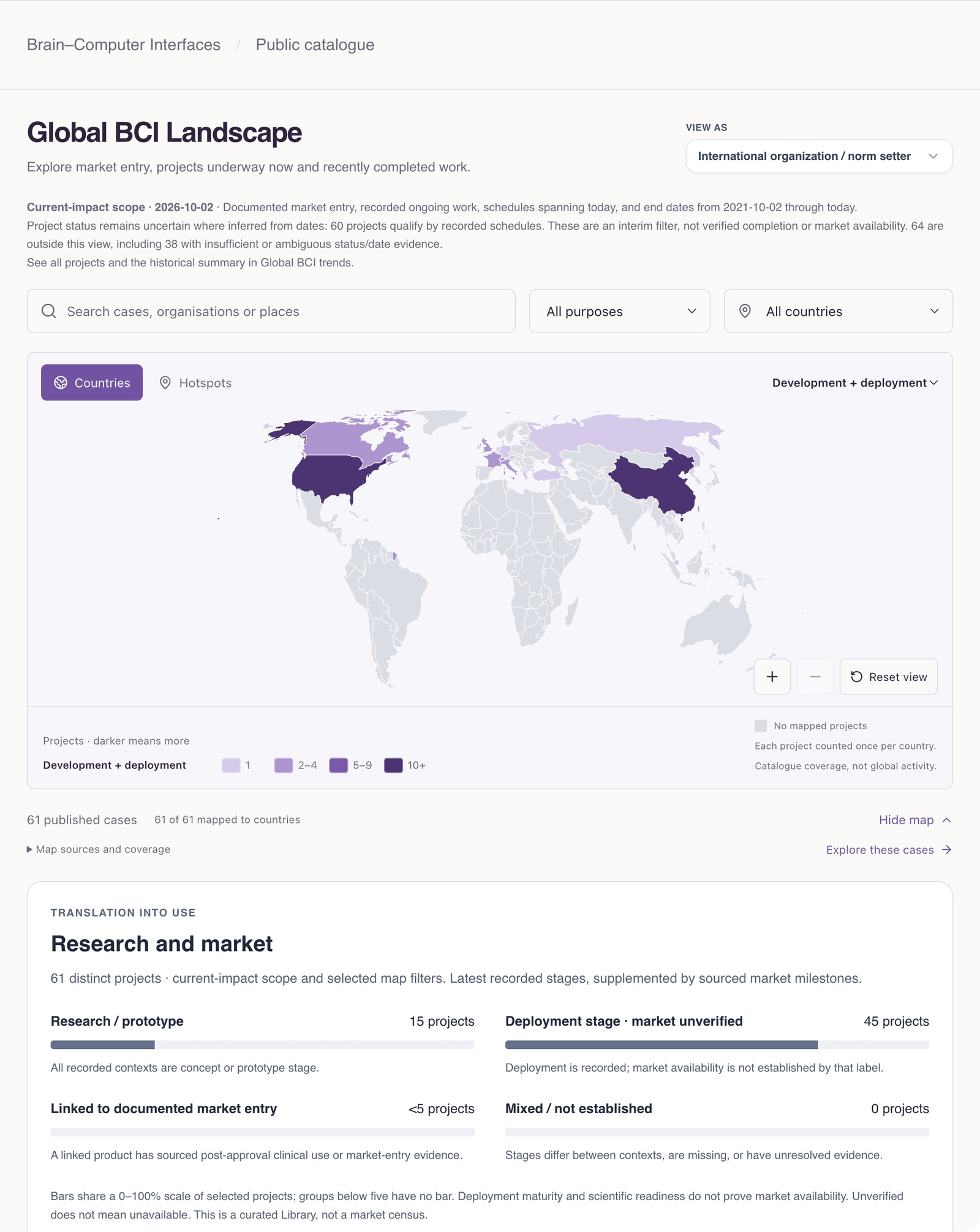
Public GESDA catalogue, captured 2 October 2026. Visible records and counts describe the published selection on that date, not a census of the field. Set filters that match the question
Use the available audience, application, geography and catalogue filters to define the comparison. Check the resulting population before reading a total or map. Keep track of the filter choices so another reader can understand the scope of your claim
Distinguish research, deployment and market evidence
Read Research and market classifications carefully. A trial can remain a research record even when linked to a marketed product. Readiness, a deployment label or a future schedule alone does not demonstrate market availability
Inspect the records behind a pattern
Open relevant published records and trace notable claims to their sources. Examine dates, uncertainty and missing fields. For case-by-case browsing, use published cases in Explore. A catalogue classification is a starting point for inspection, not independent confirmation of every underlying claim
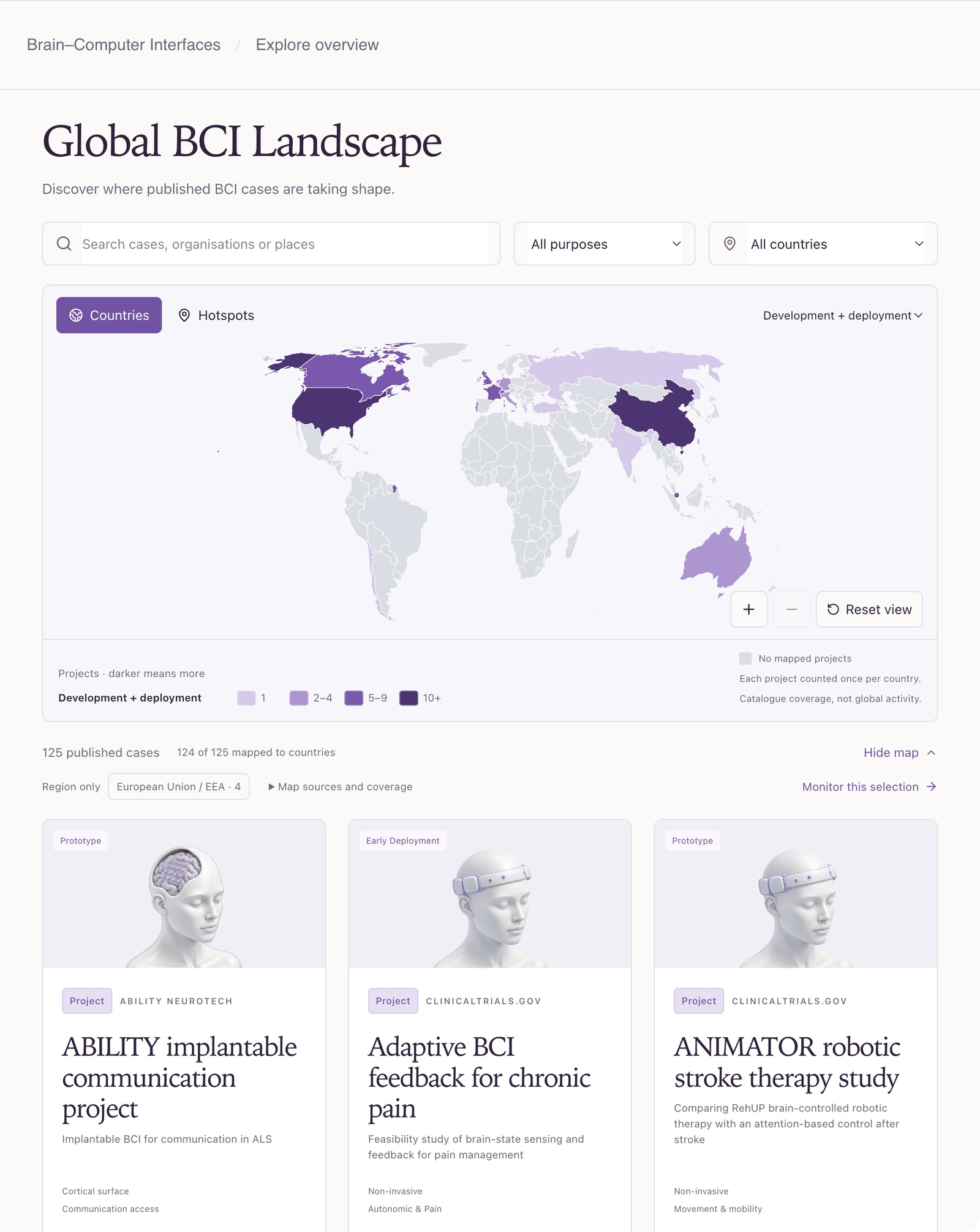
Public GESDA catalogue, captured 2 October 2026. Visible records and counts describe the published selection on that date, not a census of the field. Use Trends for broader or historical questions
Global BCI trends includes older and undated published records by default. Successive start cohorts compare the latest classifications of different populations. A separate reviewed-revision comparison requires distinct profiles of the same project context at both dates
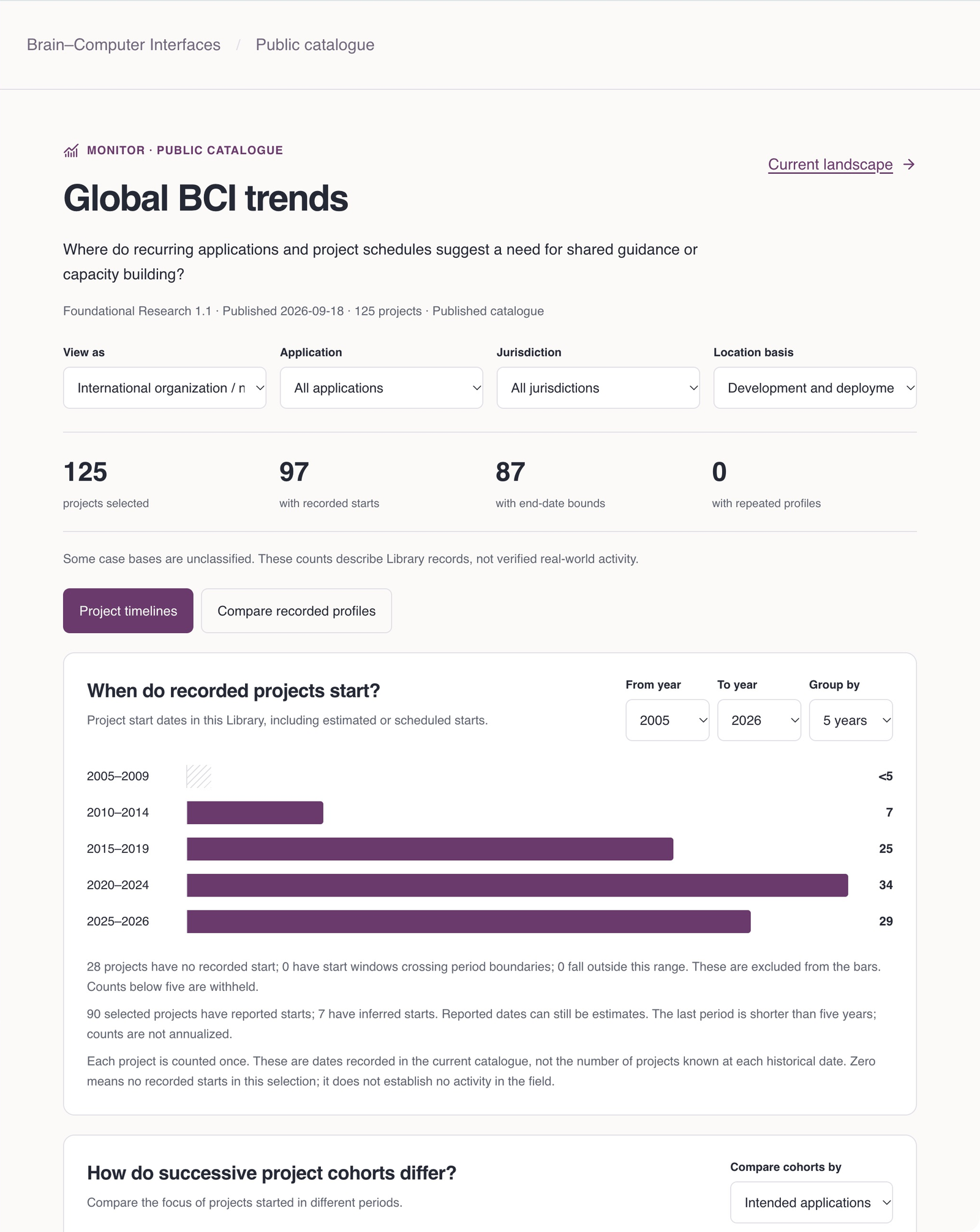
Public GESDA catalogue, captured 2 October 2026. The selected records include missing and estimated dates. Project timelines and Compare recorded profiles answer different questions. Write the finding with its boundaries
State which view and filters you used, when you viewed it, and which records or sources support the finding. Describe missing information that could change the interpretation. Recorded end dates do not prove completion; current geographic fields do not establish historical relocation
Make the next question specific
A useful result might identify an underdocumented application, a recurring evidence gap or a set of records for closer review. It should not turn catalogue counts into population prevalence, adoption measures or clinical effectiveness claims
If your question concerns your own accessible project records, use Compare accessible assessments. Public catalogue and private portfolio populations remain separate
About this guide edition
Reviewed 2 October 2026 against the current interface and maintained product guide. Screenshots show either the public GESDA catalogue or a local demonstration using fictional Aurora data, as identified in each caption
Local captures illustrate the interface, not sign-in, server persistence or successful export. Use Print / save PDF for a reading copy and follow the live application for current availability
Guide edition · 2 October 2026
Find a guide for your role