
Know what belongs in the picture
Monitor offers two different sources of information: accessible saved assessments and the published BCI catalogue. They answer different questions
| View | Population | Access |
|---|---|---|
| Portfolio | Selected accessible assessments, or authorized organizational aggregates | Sign-in and relevant permissions |
| Global BCI Landscape | Published catalogue records within a present-impact scope | Public |
| Global BCI trends | All published projects by default, including older and undated records | Public |
Inspect the portfolio you can access
Choose the assessments that belong to your question before interpreting an aggregate. Look for repeated gaps and unusual cases, then return to the individual evidence. An empty private portfolio stays empty; the app does not silently fill it with public examples
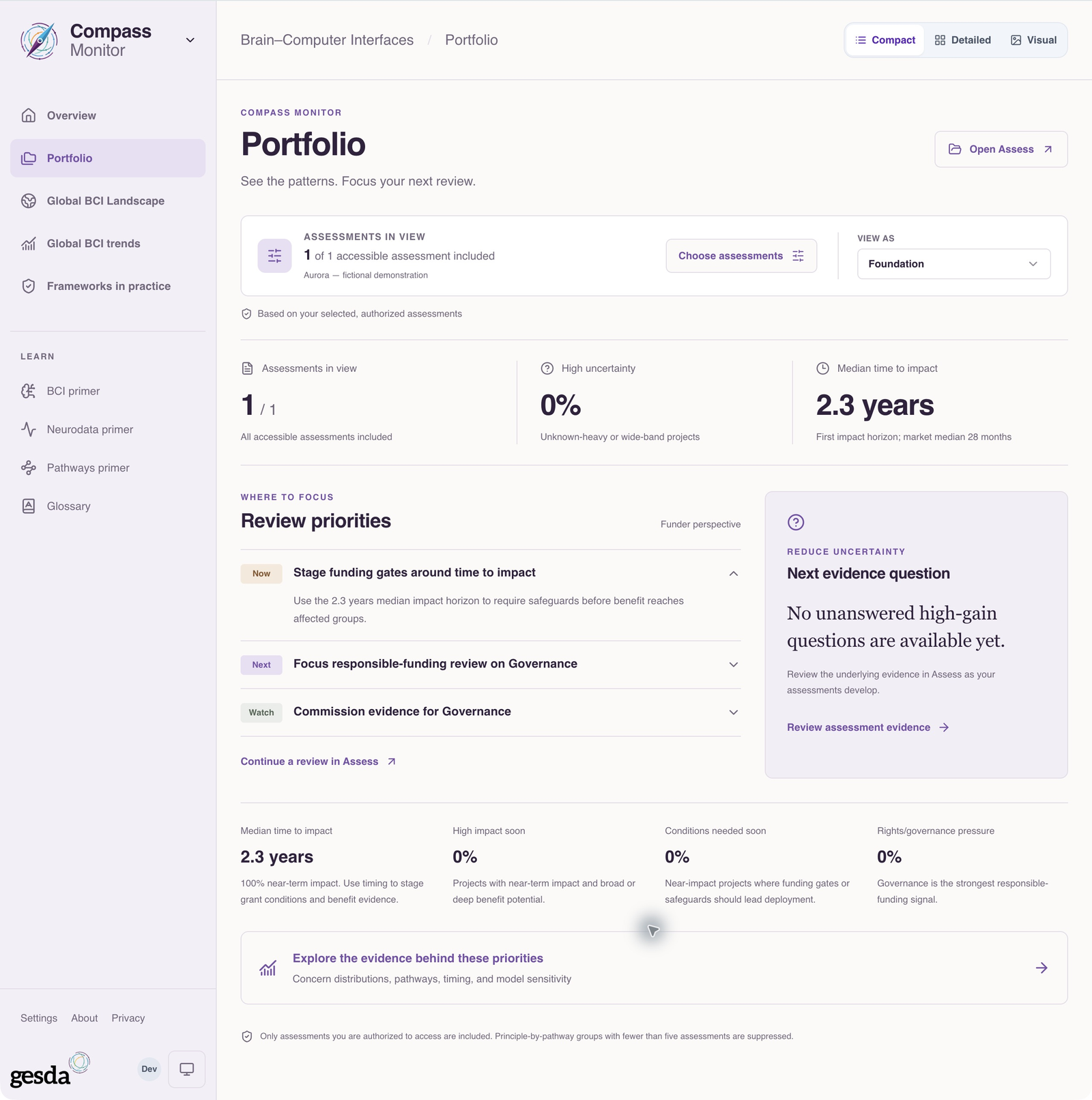
Institutional permissions can permit aggregate data beyond individually selected records. A stakeholder perspective alone does not grant that access
Read the published landscape as a defined catalogue
Global BCI Landscape in Monitor focuses on present impact: documented market entry, recorded ongoing work, schedules spanning today and end dates within the last five years. These recorded dates are an interim filter; they do not prove current activity or completion. Insufficient and ambiguous records remain available in Trends
Check the counting unit and active filters before comparing a map, chart or total. Summaries use the same narrowed scope. Research and market classifications distinguish research or prototypes, deployment with unverified market status, documented market entry, and mixed or missing information. A readiness or deployment label alone does not establish market availability
Separate catalogue history from demonstrated change
Global BCI trends compares the latest classifications of successive start cohorts. It includes beneficiary, application, readiness, benefit, interface burden and maturity views, alongside geographic shares and recorded project durations. Missing and approximate dates matter to those comparisons
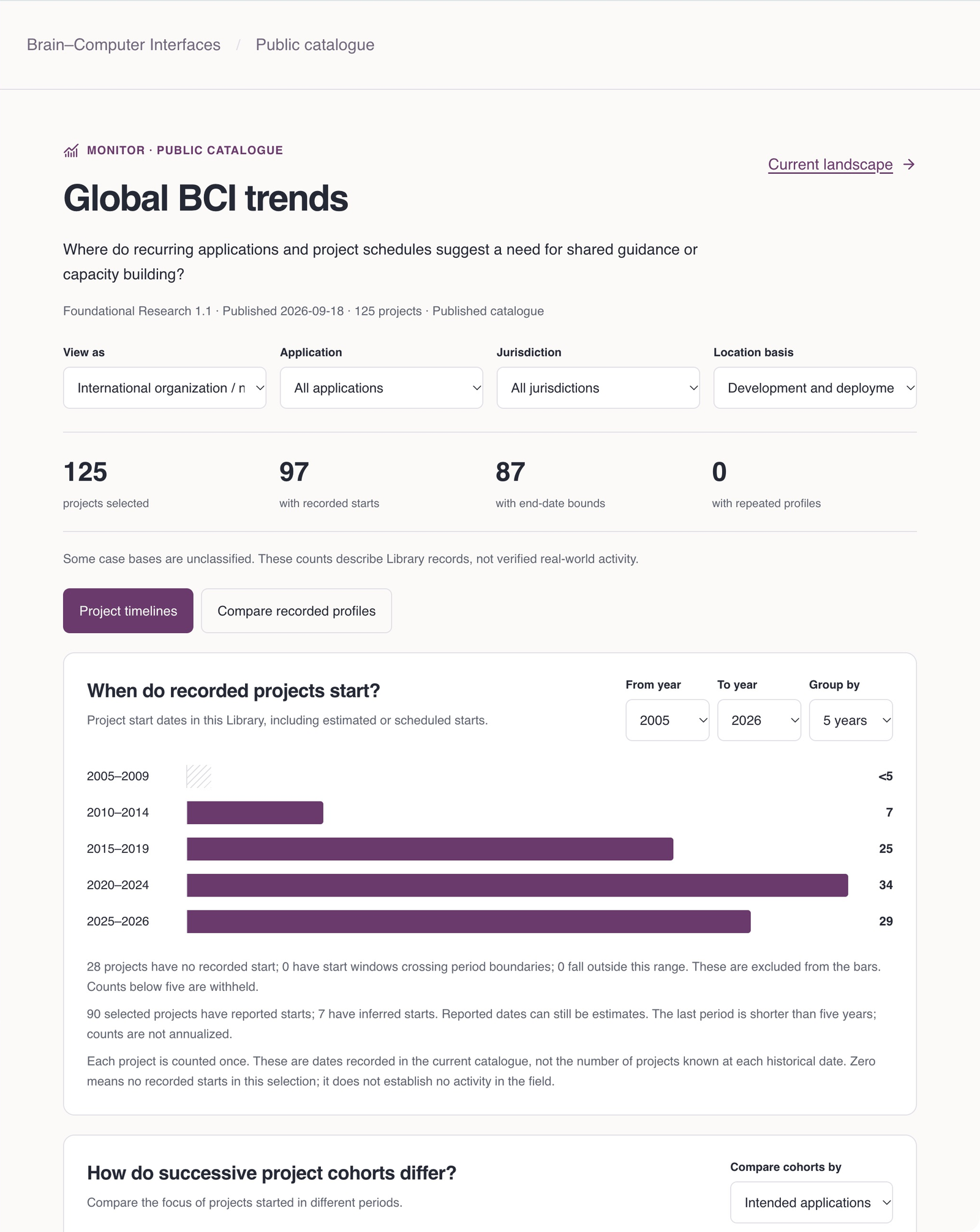
A separate revision comparison requires distinct records for the same project context effective at both dates. One profile cannot establish improvement or stability. Current locations do not demonstrate historical relocation, and a recorded end bound does not verify completion. These views reconstruct the catalogue; they do not measure adoption
Make the pattern actionable
Use Read the published BCI landscape to examine a public question, or Compare accessible assessments for portfolio work. State the population, filters and missing information alongside any conclusion
Landscape is public. Portfolio requires sign-in and accessible records
About this guide edition
Reviewed 2 October 2026 against the current interface and maintained product guide. Screenshots show either the public GESDA catalogue or a local demonstration using fictional Aurora data, as identified in each caption
Local captures illustrate the interface, not sign-in, server persistence or successful export. Use Print / save PDF for a reading copy and follow the live application for current availability
Guide edition · 2 October 2026
Find a guide for your role