

Give the possibility a useful shape
Explore is public. It helps you describe what matters, investigate alternatives and identify evidence you would need before assessing a specific proposal
The useful outcome is an inspectable question: who needs to communicate, in which situations, what should happen, what support is available and what requirements must be met. A requirement is not evidence that a technology already meets it
Develop a question and alternatives
From the Explore overview, choose Explore a possibility. The guided exploration begins with perspective and scope, then works through person and purpose, daily life, signal and action, body interface, processing, support and rights, and evidence. The developing visual profile brings these answers together
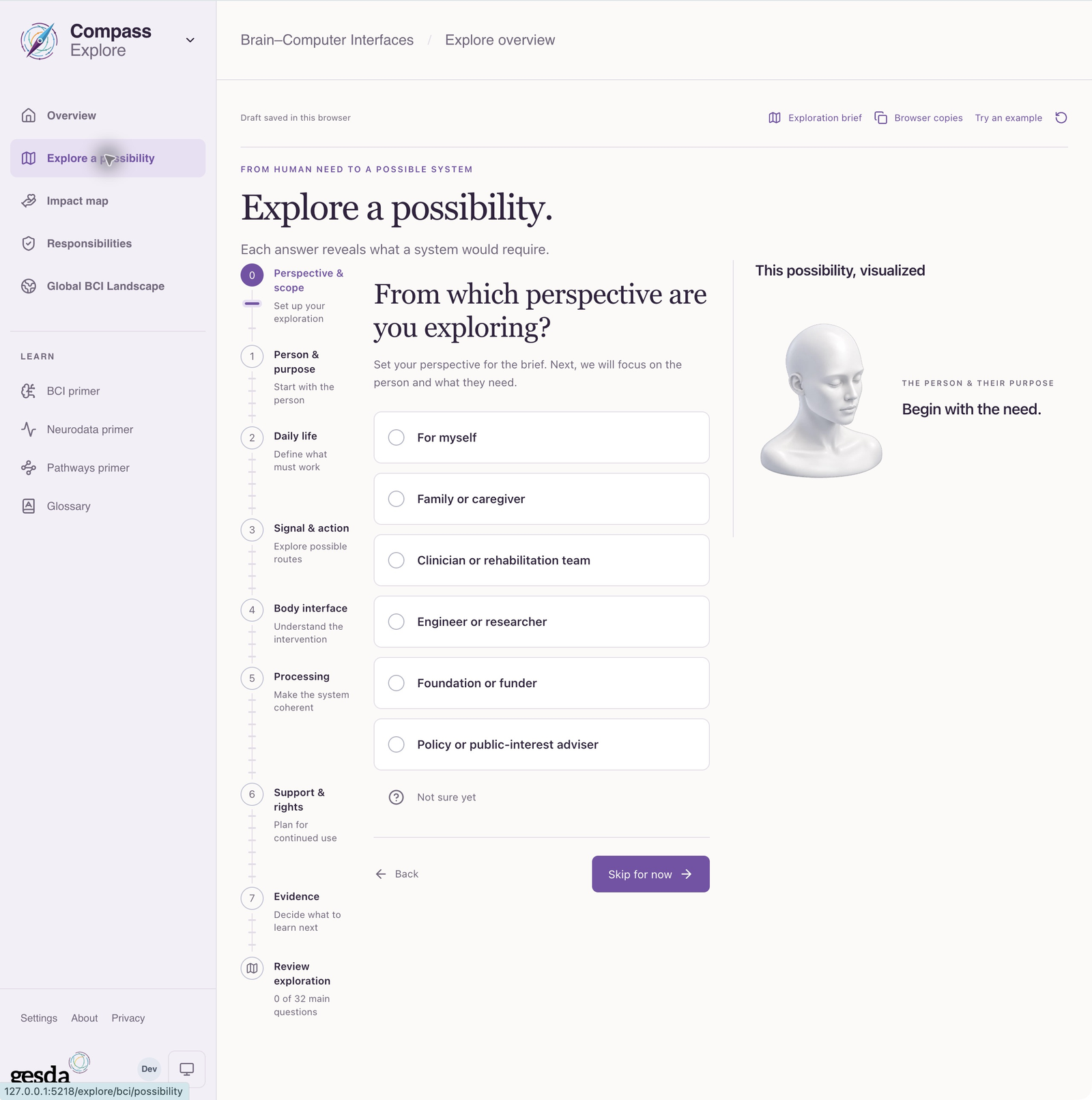
Retain independent alternatives and next questions in the exploration brief. Different alternatives may require different evidence and support. Do not assume that adding a technical detail makes an answer more certain
Use the surrounding views to investigate
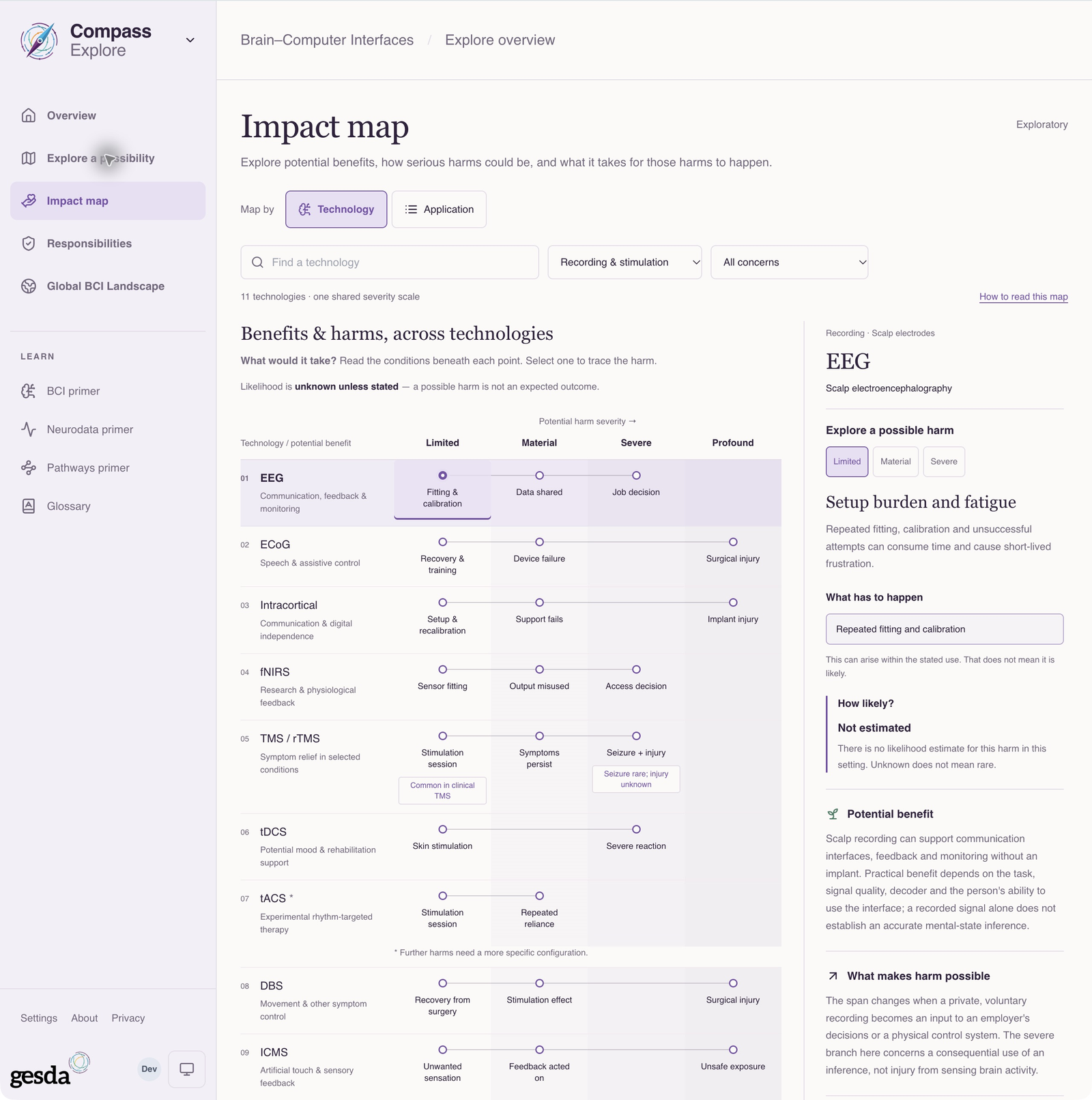
Impact map
Browse by technology or application to examine benefits and named harm scenarios with their conditions. The spans are exploratory: they are not outcome frequencies, probabilities, measured effectiveness or an upper bound on harm. Likelihood is unestimated
Published cases and responsibilities
Use Global BCI Landscape to inspect published cases and their sources. Use Responsibilities to consider relevant responsibilities and independently selected public examples. A catalogue match is a lead to inspect, not a recommendation for a person or use
Understand what is saved
Exploration drafts and variants are browser-local, scoped to this deployment and the account or visitor context. They are not server-synced saved assessments and should not be assumed to follow you to another browser or device. Use the exploration brief export when you want to carry the work into a conversation
Explore settings manage these local drafts and versions. Changing shared profile preferences does not rewrite existing exploration answers
Move forward when the question is clear
Follow Explore a need or possibility for a complete walkthrough. If you have a particular project and evidence to describe, continue to Create a BCI assessment. A general exploration does not itself establish that the project is supported
About this guide edition
Reviewed 2 October 2026 against the current interface and maintained product guide. Screenshots show either the public GESDA catalogue or a local demonstration using fictional Aurora data, as identified in each caption
Local captures illustrate the interface, not sign-in, server persistence or successful export. Use Print / save PDF for a reading copy and follow the live application for current availability
Guide edition · 2 October 2026
Find a guide for your role