

Begin with a question you can describe
You can use this task without signing in. Bring a need or question, the setting in which it matters, and any evidence you already have. You do not need to choose a BCI technology before starting
Outcome: an exploration brief you can inspect and export, with requirements kept distinct from demonstrated capabilities
Build the exploration in six steps
Choose a perspective and scope
In Explore, choose Explore a possibility, then choose the perspective and scope that fit the question. For the illustrative example, begin with the person’s communication need and daily setting. Perspective guides the explanation; it does not establish permissions or expertise
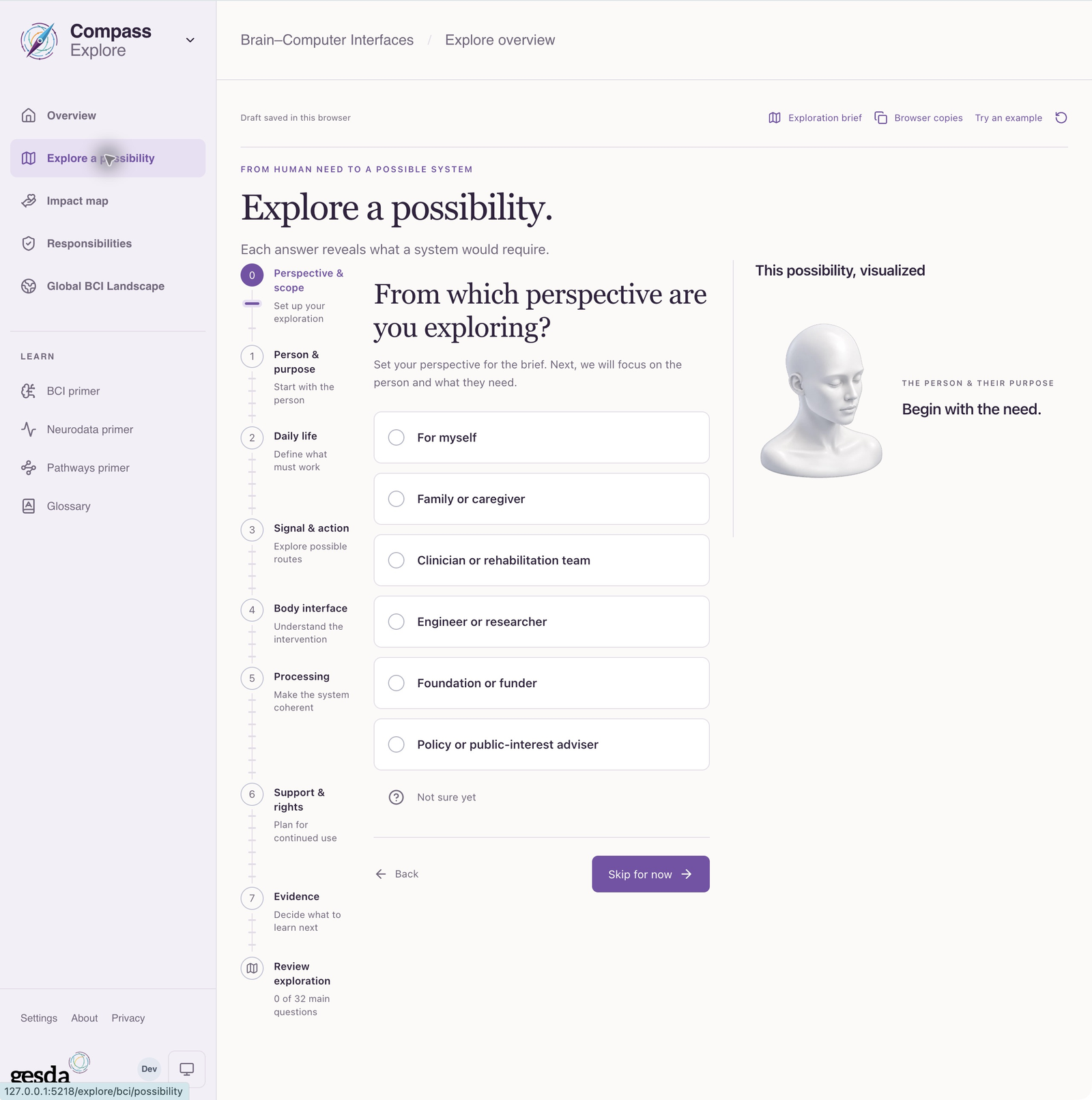
Local documentation capture, 2 October 2026. Initial guided exploration; no completed result is shown. Describe person, purpose and daily life
State what the person wants to do and when it matters. “Communicate a choice at home” is more useful than “use a BCI.” Record support needs and relevant constraints without treating the hypothetical scenario as a real patient record
Work through signal, action and support
Describe the intended input and action, body interface, processing, support and rights. Distinguish a desired capability from an observed one. Leave uncertain answers visibly uncertain; technical specificity does not substitute for evidence
Investigate alternatives and consequences
Retain independent alternatives. Open the Impact map when you want to inspect potential benefits and named harm scenarios by technology or application. Read the conditions beside each scenario. The displayed spans are not probabilities or measured outcomes
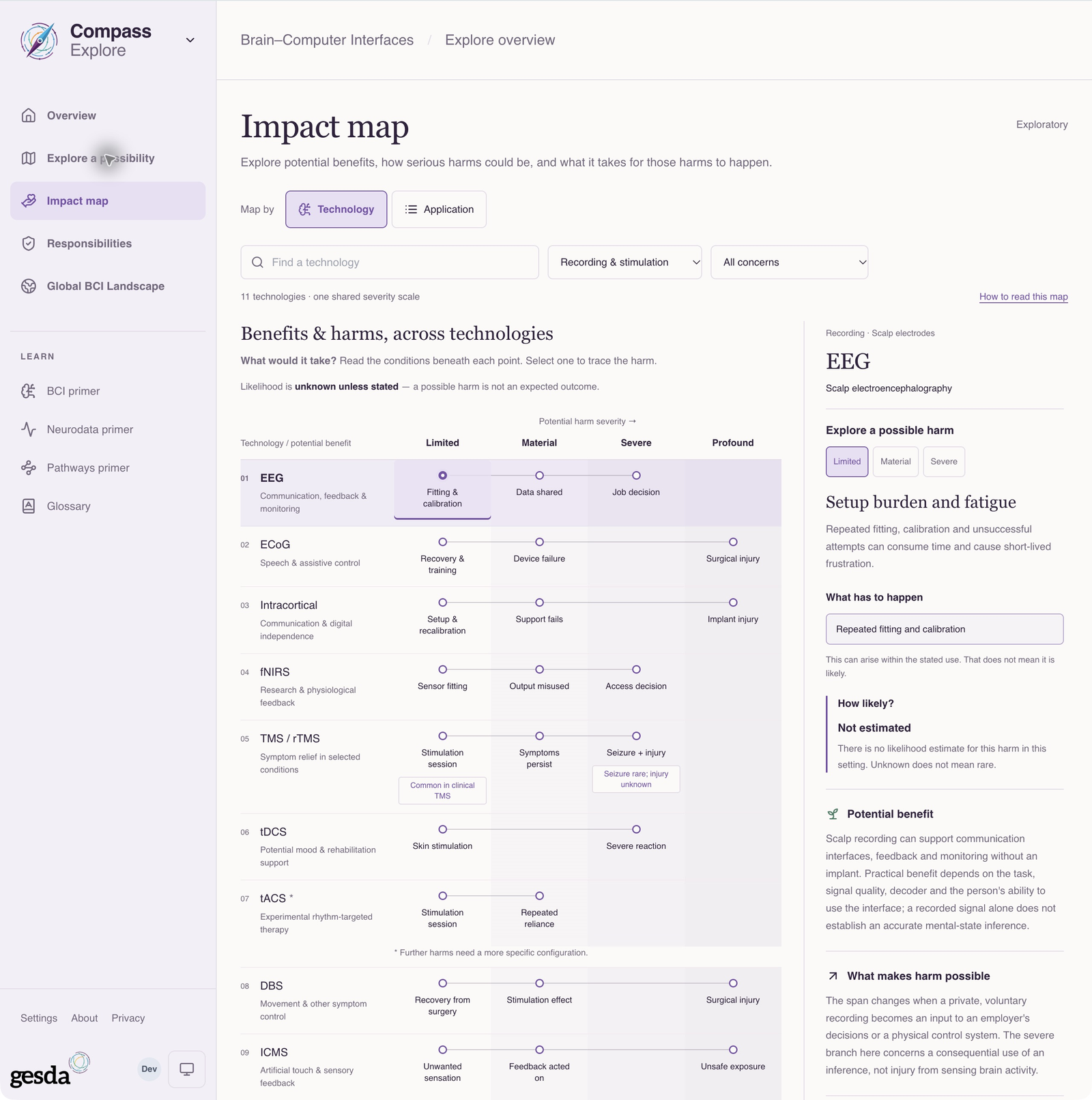
Local documentation capture, 2 October 2026. Likelihood is unestimated; the map does not establish suitability or effectiveness. Inspect published leads and responsibilities
Open relevant catalogue cases, read their sources and identify what they do and do not establish. Use Responsibilities to consider questions about support, accountability and rights. A matching case is a lead to investigate, not proof that the option meets your requirements
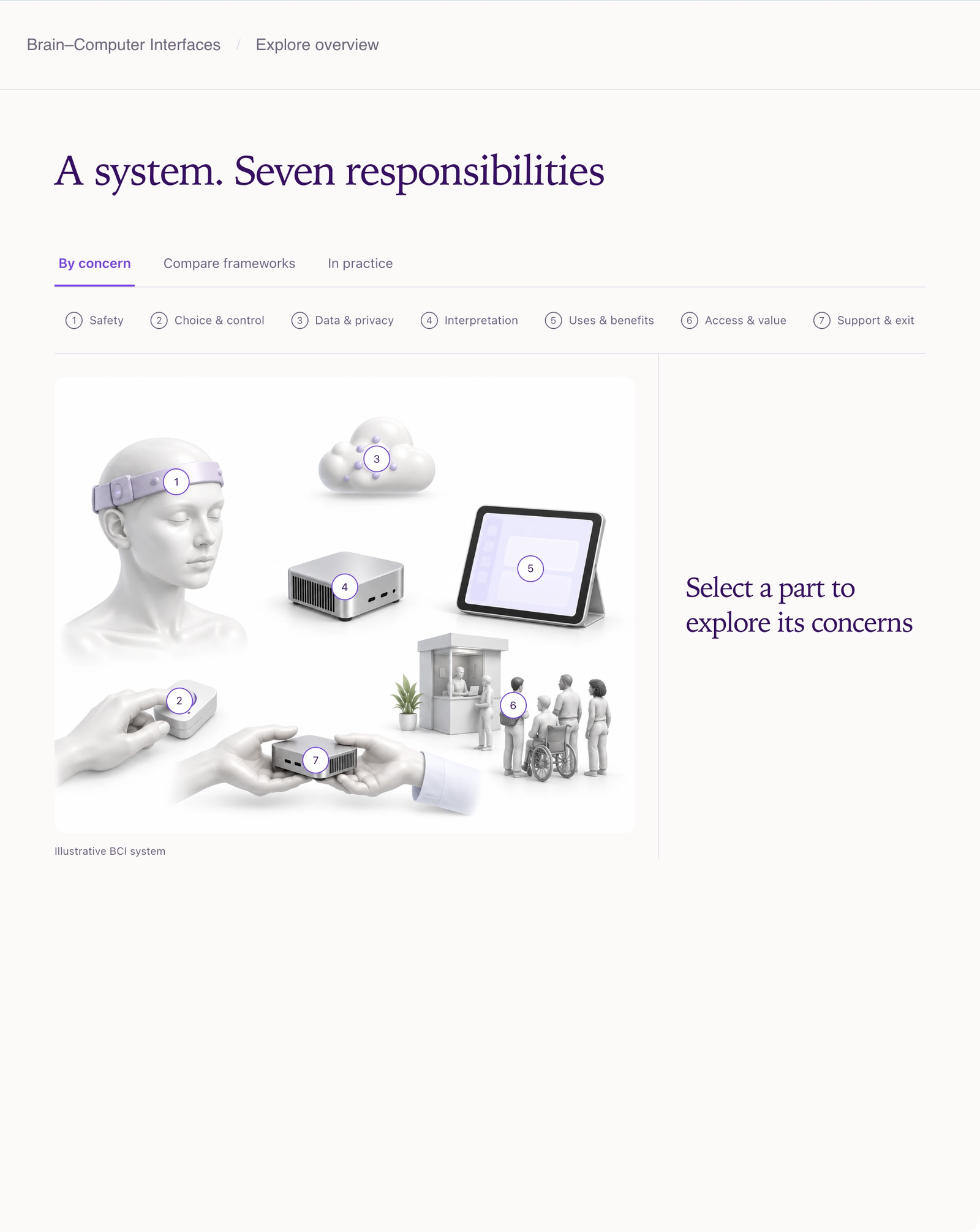
Public GESDA Responsibilities view, captured 2 October 2026. Examples are independently selected; their presence is not an endorsement. Review and export the exploration brief
Open Exploration brief and check that it preserves the original purpose, alternatives, evidence leads and next questions. Choose Preview & export brief to prepare a copy for your conversation. Save a browser copy retains an optional local version. The draft and its variants remain browser-local, scoped to the deployment and account or visitor; they are not server-synced assessments
Use the brief to improve the next conversation
A useful brief makes clear what you want to learn next. For the communication example, that might include evidence about reliable operation in daily life, the support required and how alternatives meet the same need
If a specific project is now defined, follow Create a BCI assessment. Bring the relevant evidence forward deliberately; the exploration does not validate the project or replace clinical or institutional judgment
About this guide edition
Reviewed 2 October 2026 against the current interface and maintained product guide. Screenshots show either the public GESDA catalogue or a local demonstration using fictional Aurora data, as identified in each caption
Local captures illustrate the interface, not sign-in, server persistence or successful export. Use Print / save PDF for a reading copy and follow the live application for current availability
Guide edition · 2 October 2026
Find a guide for your role